


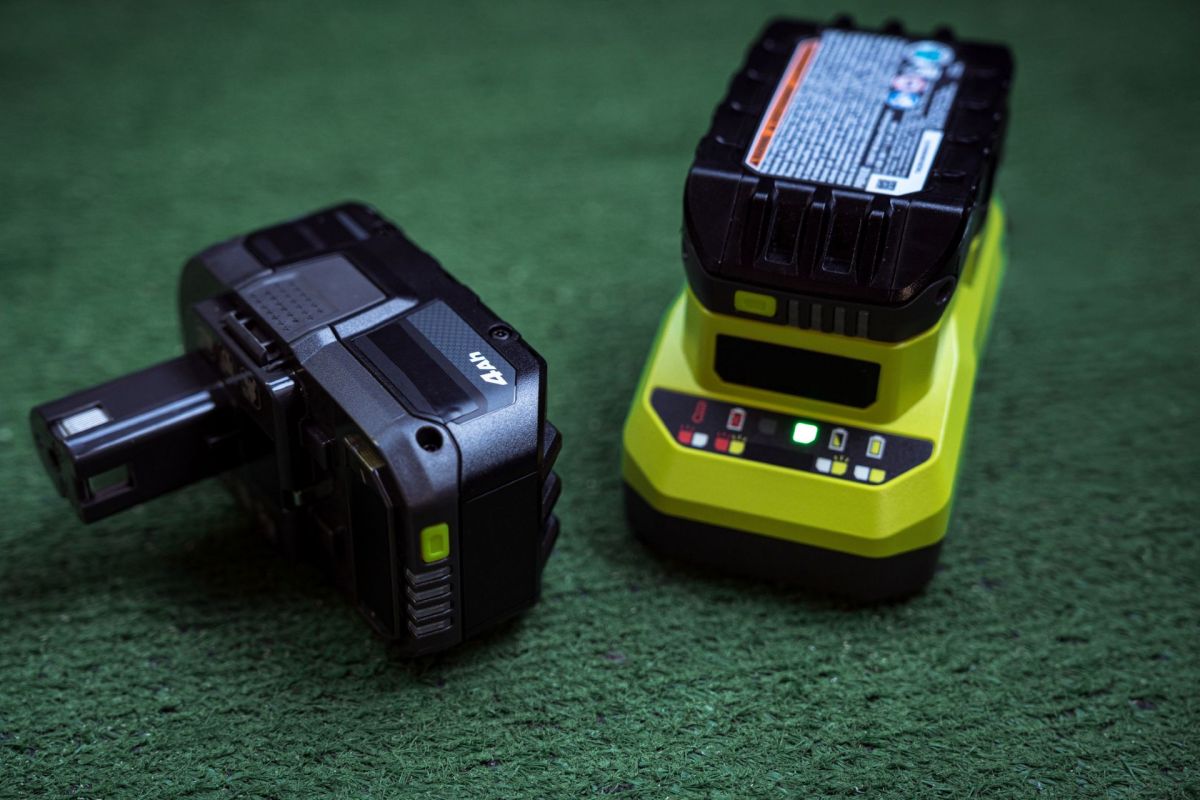
Despite popular opinion to the contrary, seeing four flashing lights on a Ryobi battery does not always mean the pack belongs in the recycling bin.
Here's what to know
According to How-To Geek, community testing has revealed that the four-flashing-lights pattern typically indicates a fault condition detected by the battery's control board.
The four-light warning appeared to come from the battery pack's internal logic board, which checks cell voltage and can shut the pack down by placing it in a fault state. Ryobi has not released official documentation confirming the exact causes that trigger the warning, but community reports have connected the warning to cell imbalance and a protection-mode lockout.
However, a fault state does not automatically mean that the battery itself is dead. The same warning can be triggered by excess heat, a failing charger, or dirty contacts. If one of those issues is responsible, the cells may still work once the root problem has been fixed.
To that end, How-To Geek recommended allowing a battery showing the four-light warning time to cool off, as well as cleaning the contacts on the battery and trying a different charger. If none of those steps resolve the issue, the battery owner might have a more serious problem on their hands, though it could still be fixable.
For example, users have reported that batteries sometimes can be stuck only in a soft lockout, and those packs may respond to a J1 jumper reset inside the battery. However, reaching that reset requires opening the battery case, which can void any remaining warranty and create safety concerns, so it should only be attempted by experienced users.
TCD Picks » Quince Spotlight
💡These best-sellers from Quince deliver affordable, sustainable luxury for all




What if that still doesn't work?
Some users have described experiencing a separate permanent lockout that the basic J1 reset does not clear. According to How-To Geek, one Reddit user reportedly got past that permanent lockout by modifying the battery's firmware, clearing memory address 0x7E90, and flashing the firmware again. The user said the method worked on a PBP005 board, but there was no indication that it applied across every Ryobi battery line.
In the absence of Ryobi making an official statement on the matter, Ryobi users have had to rely on community testing. These tests report that a lockout might be triggered when one cell bank sags by about 0.15V compared with the others before charging. Under these conditions, the lockout would leave the battery unable to function even though some of its cells remained usable.
Check the warranty
Before venturing down the rabbit hole of DIY battery repairs, How-To Geek recommended checking whether the Ryobi battery was still under warranty. If it was, the user could contact Ryobi for a replacement. However, owners with out-of-warranty packs have been left with little alternative other than to recycle the locked-out battery and purchase a new one, or to take their chances with a potentially risky DIY repair.
Where can I learn more?
As more and more devices turn to battery power, resolving battery-related issues has become a common part of everyday life.
• Engineers created a new material that revives worn lithium-ion cells after heavy use.
• An Amazon TV alert labeled 12% battery "extreme", yet the remote kept working for months.
• Inside a sub-$650 Amazon pack, a DIY solar expert found badly crooked cells and defects.
• The Consumer Product Safety Commission told riders to stop using Ridstar e-bikes because battery fires pose a risk.

Get TCD's free newsletters for easy tips, smart advice, and a chance to earn $5,000 toward home upgrades. To see more stories like this one, change your Google preferences here.