


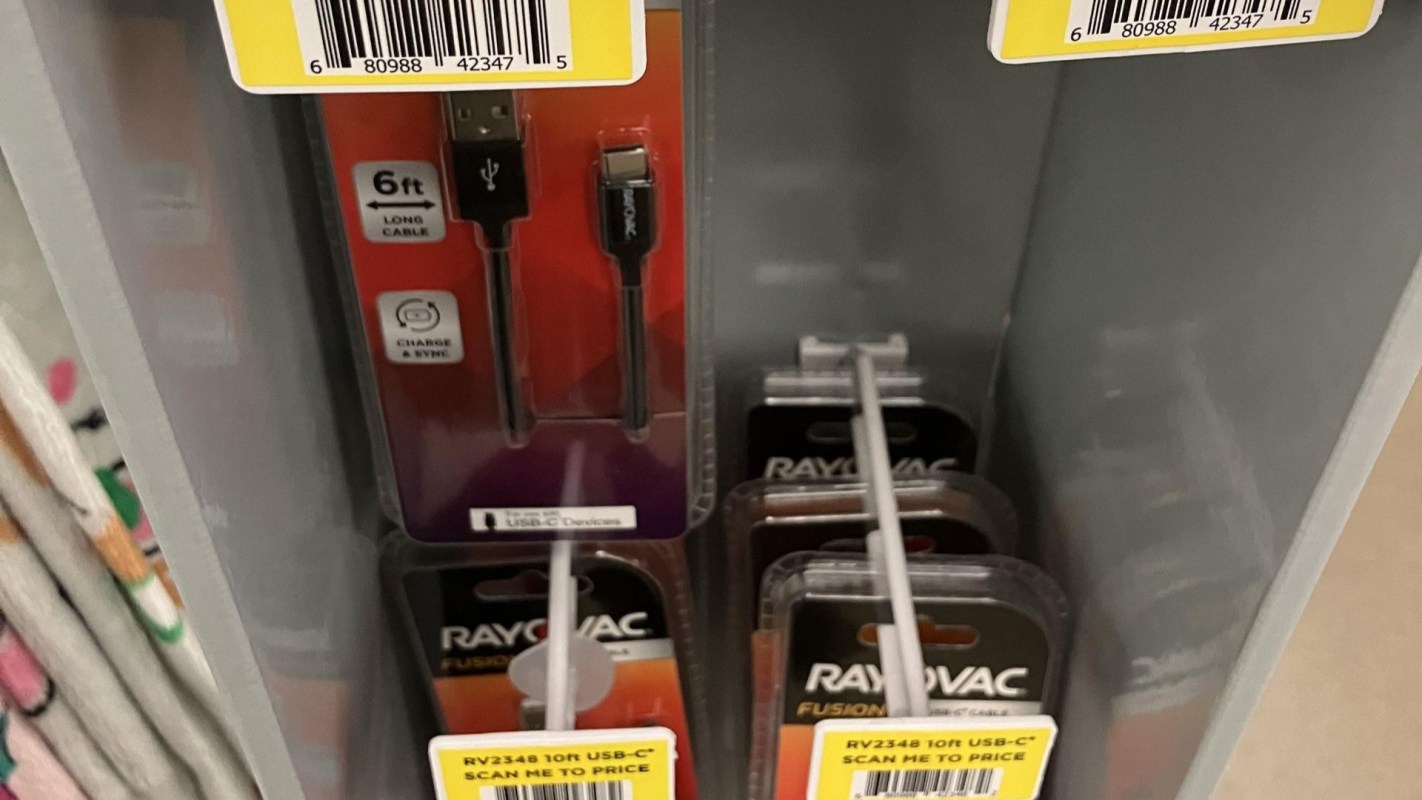
At Dollar General, a trip for a charger cord turned into an irritating pricing complaint when a shopper found the product displayed without a visible price tag and only a label telling them to scan.
At the register, the shopper asked a cashier what the cord cost and said they were told to check the item through the app.
Here's what to know
The complaint appeared in a Reddit post, where the original poster said the charger cord they picked up at Dollar General had only a scan label. They said that after bringing it to the register for a price check, the cashier told them the price had to be scanned, and when they asked if that meant downloading the app, "She said yes."
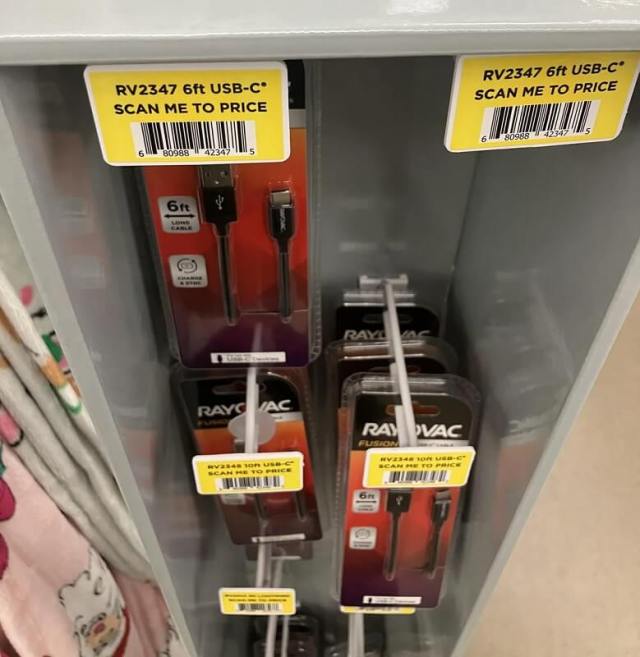
Calling the experience "mildly infuriating" to match the r/mildlyinfuriating subreddit they posted in, the original poster said they "stayed polite" and asked again for a price check.
From there, the discussion expanded beyond one charger cord. Commenters debated pricing-law requirements, dependence on store apps, and whether customers should need a smartphone to find out what something costs.
One commenter said missing posted prices are "actually illegal anywhere that has item pricing laws," while others focused on app use and accessibility.
TCD Picks » Quince Spotlight
💡These best-sellers from Quince deliver affordable, sustainable luxury for all




More background
Some people in the thread did not see the label as an attempt to conceal pricing.
Instead, one commenter suggested it was likely meant for employees, not shoppers: "It's not instructions for the customer - it's instructions for the in-house HHT (handheld terminal, the 'everything tool' for Dollar General employees) - that one barcode sends the whole display's worth of labels to the label printer in the office."
Another commenter backed up that interpretation, writing, "It's 'scan me to price' not 'scan me for price.' The employee should have priced it."
The first commenter made a similar argument.
"This isn't some dynamic pricing thing, this is Dollar General not giving employees enough time to do their job, or them simply not doing it for some other reason," they suggested.
Whatever the label was originally for, customers without a visible shelf price are still left to ask around or use a phone. One commenter summed up that problem by playing out the scenario: "I don't have a smartphone. Can you tell me the price of this one? And this one? And this one?"
What can be done?
The original poster said they asked for a manual price check without directing their frustration at the cashier. In their view, store employees "don't get paid enough" to absorb customer anger over a system they likely did not create.
The discussion also pointed to a straightforward fix at the store level. If the label was intended for an employee handheld device rather than shoppers, the product shouldn't have reached the floor without the actual shelf price printed and placed.
Other commenters pushed a more direct consumer response of refusing to buy items labeled that way, whatever the reason.
"The correct way to deal with this is to not purchase anything that says this," one wrote. "If people are still buying it, they're not going to change their practices."
Where can I learn more?
Confusing or hard-to-find prices have fueled similar complaints across retail, from store aisles to online checkouts.
• Online shoppers still run into add-to-cart price barriers created by brand pricing rules.
• At Walmart, employees said digital price tags turned basic price checks into confusion.
• At one thrift store, shoppers spotted brazen pricing tactics that fueled resale suspicion.
• Goodwill shoppers called its new method of price tagging frustrating and needlessly confusing.

Get TCD's free newsletters for easy tips, smart advice, and a chance to earn $5,000 toward home upgrades. To see more stories like this one, change your Google preferences here.